





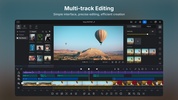
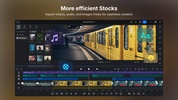

VN is a professional video editing app—free with no watermark. With an intuitive multi-track timeline, powerful editing tools, and smart creative features, VN helps everyone create high-quality videos with ease. Whether you're documenting daily life, making Vlogs, social content, or professional work, VN helps you get it done faster.
[Smart Tools]
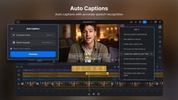
• Auto Captions. Automatically generate subtitles from audio—supports multiple languages, subtitle templates, and animated text styles.
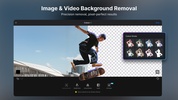
• Video/Photo Cutout. Remove backgrounds from videos and photos in one tap.
[Video Editing]
• Trim & Merge. Cut clips with frame-accurate precision (0.05s) and merge them into a seamless timeline—with up to 30x zoom.
• Overlay. Add overlay videos, photos, stickers, and text on a multi-layer timeline.
• Masks. Apply masks to layers for precise, creative compositions.
• Zoom & Freeze Frame. Add zoom motion, or freeze key moments.
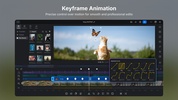
• Add Text & Stickers. Customize text and stickers with keyframe animation.
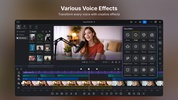
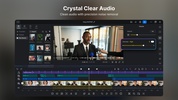
• Music & Voice-over. Add music, sound effects, and record voice-overs directly in the app.
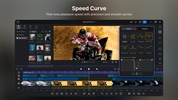
• Speed Control. Speed up or slow down clips with presets or advanced curve-based speed ramps.
• Keyframe Editing. Add custom keyframe animations with 19 built-in effects and adjustable curves.
• Non-destructive Editing. Save drafts anytime with full undo/redo support.
[Filters, Effects & Transitions]
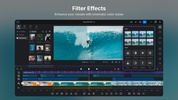
• Cinematic Filters & LUTs. Apply built-in filters or import LUTs for a professional look.
• Transitions & Effects. Smooth transitions and diverse visual effects for polished edits.
[Text Editing]
• Text Templates & Fonts. Choose from text templates and font styles for different scenarios.
• Text Customization. Adjust color, size, letter spacing, and more.
[Import & Assets]
• Local Import. Easily import videos, music, sound effects, fonts, and stickers from your Windows PC.
• Asset Library. Access stickers, fonts, filters, LUTs, and more creative resources.
[Export & Share]
• High-Quality Export. Export up to 4K resolution at 60fps.
• Cross-Platform Workflow. Transfer projects between devices and keep editing anywhere.
If you have any questions or suggestions, contact us:
Email: vn.support+pc@ui.com
Instagram: @vn-incoming-webhook.mac
Facebook: @vnvideoeditorapp
X: @vnvideoeditor
Discord: discord.gg/eGFB2BW4uM
Terms: www.ui.com/legal/termsofservice
Privacy: www.ui.com/legal/privacypolicy
Website: www.vlognow.me
VN: Video Editor is for you if
✓ You want professional-looking edits without complex interfaces or intrusive watermarks
✓ You rely on a precise multitrack timeline to sync video, audio, titles, and transitions
✓ You value automatic subtitles, one-click background removal, and speed effects for polished content


 1 reviews














Comments
There are no opinions about VN: Video Editor yet. Be the first! Comment